





Outline
- Introduction
- What is Metabase?
- How Metabase Works
- Key Advantages of Using Metabase
- Setting Up Metabase: A Quick Overview
- Use Cases Across Industries
- Top Alternatives to Metabase
- Conclusion
Introduction
In today’s data-driven world, organizations rely heavily on analytics to make informed decisions. However, not every team has the technical expertise or resources to manage complex business intelligence (BI) tools. That’s where Metabase comes in — an open-source BI platform designed to make data exploration simple, intuitive, and accessible to everyone. Whether you’re a startup or an enterprise, Metabase empowers teams to visualize data, create dashboards, and share insights without writing a single line of code.
What is Metabase?
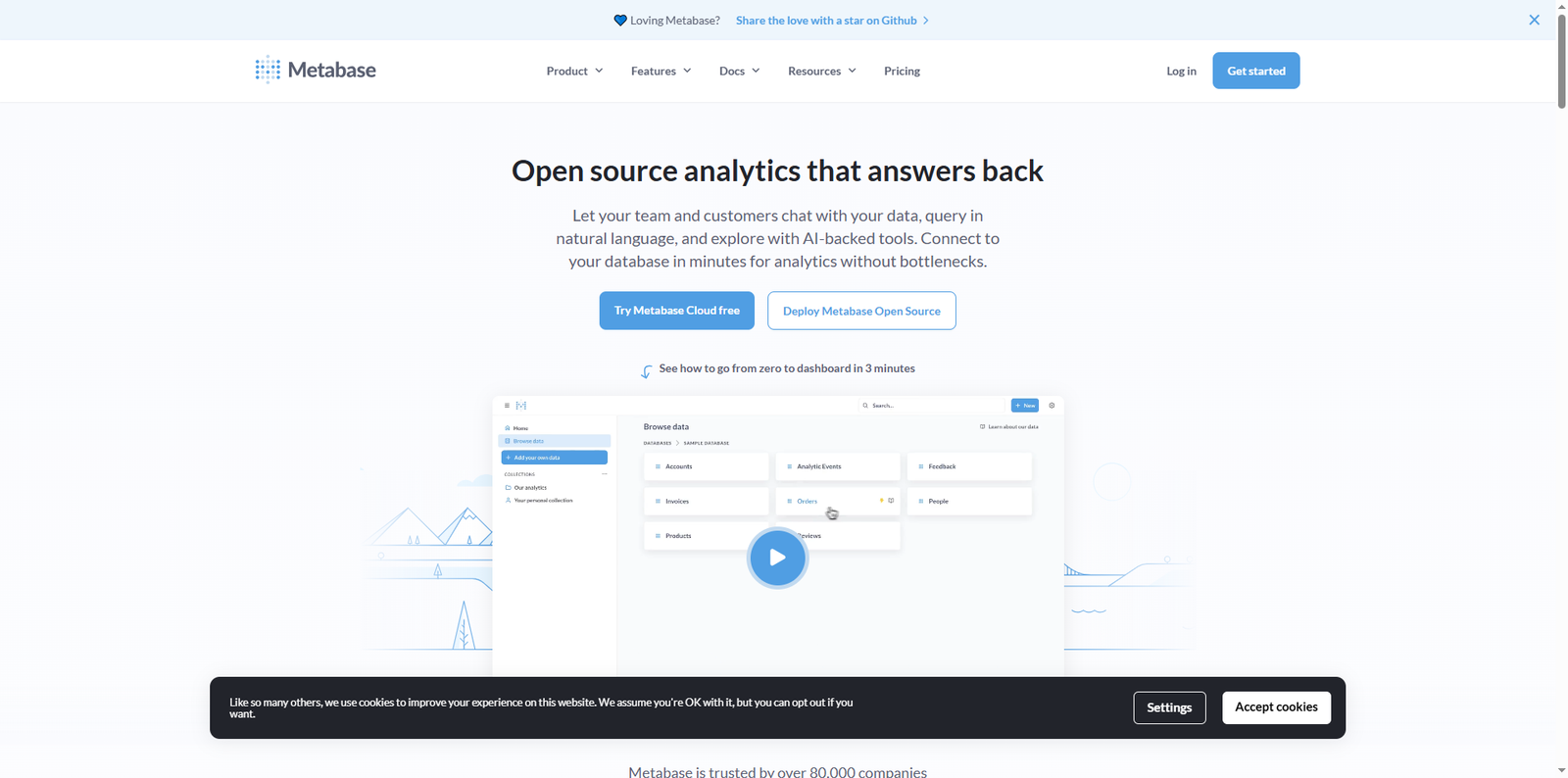
Metabase is an open-source business intelligence and data visualization tool that allows users to query data, build dashboards, and generate reports through an easy-to-use interface. It was first released in 2015 and has since grown into one of the most popular BI tools in the open-source community. According to GitHub, Metabase has over 35,000 stars and contributions from thousands of developers worldwide, reflecting its strong community support and continuous innovation.
Unlike traditional BI tools that require complex setup and licensing, Metabase focuses on simplicity. It connects directly to popular databases like PostgreSQL, MySQL, MongoDB, and Google BigQuery, enabling users to start analyzing data within minutes. The platform can be self-hosted or deployed on Metabase Cloud, offering flexibility for different organizational needs.
How Metabase Works
Metabase operates as a web-based application that connects to your database and provides a graphical interface for querying and visualization. Users can ask questions in plain language, such as “What were our total sales last month?” and Metabase automatically translates that into SQL queries behind the scenes. The results can then be visualized using charts, graphs, or tables.
Data Connection and Integration
Metabase supports a wide range of data sources, including:
- Relational databases like PostgreSQL, MySQL, and SQL Server
- Data warehouses such as Snowflake and BigQuery
- NoSQL databases like MongoDB
- Cloud-based data platforms including Amazon Redshift and Google Cloud SQL
Once connected, Metabase automatically scans your schema, identifies tables, and allows you to explore data without manual configuration. This makes it ideal for teams that want quick insights without heavy technical setup.
Visualization and Dashboards
Metabase’s visualization capabilities are both powerful and user-friendly. Users can create dashboards with multiple charts, tables, and metrics that update in real-time. These dashboards can be shared internally or embedded into external applications, making it easier for stakeholders to access insights.
Security and Permissions
Metabase includes robust permission controls, allowing administrators to manage who can view or edit specific dashboards and data sources. This ensures sensitive data remains protected while maintaining collaboration across teams.
Key Advantages of Using Metabase
Metabase’s popularity stems from its simplicity and flexibility. Below are some of the key advantages that make it a preferred choice among data-driven organizations:
- Open Source Freedom: Being open-source, Metabase allows organizations to customize and extend its functionality to fit their unique needs.
- Ease of Use: Its intuitive interface enables non-technical users to explore data and create visualizations effortlessly.
- Quick Deployment: You can spin up a self-hosted instance using a simple Docker command: run docker run -d -p 3000:3000 metabase/metabase.
- Collaborative Dashboards: Teams can share dashboards and reports easily, promoting transparency and data-driven culture.
- Scalability: Whether you’re a small team or a large enterprise, Metabase scales with your data and user base.
Setting Up Metabase: A Quick Overview
Getting started with Metabase is straightforward. Here’s a simplified overview of the setup process:
- Install Metabase: You can deploy Metabase using Docker, AWS Elastic Beanstalk, or as a JAR file on your server.
- Connect Your Database: Once installed, log in to the Metabase interface and connect your preferred database.
- Explore Data: Use the “Ask a Question” feature to query your data or build visualizations using the graphical interface.
- Create Dashboards: Combine multiple visualizations into dashboards for a comprehensive view of your business metrics.
- Share Insights: Share dashboards with your team or embed them into your applications for broader visibility.
This simplicity makes Metabase an excellent choice for organizations looking to democratize data access without investing in complex BI infrastructure.
Use Cases Across Industries
Metabase’s versatility allows it to be used across various industries and business functions. Below are some real-world applications:
E-commerce and Retail
Retailers use Metabase to track sales performance, monitor inventory levels, and analyze customer behavior. For instance, an online store can visualize daily sales trends and identify top-performing products to optimize marketing strategies.
Finance and Banking
Financial institutions leverage Metabase to analyze transaction data, detect anomalies, and generate performance reports. Its ability to integrate with secure data warehouses makes it suitable for handling sensitive financial data.
Healthcare
Healthcare organizations use Metabase to monitor patient data, track treatment outcomes, and ensure compliance with regulatory standards. The tool’s visualization features help medical professionals make data-backed decisions quickly.
Education
Universities and educational institutions utilize Metabase to analyze student performance, enrollment trends, and resource allocation. This data-driven approach helps improve academic outcomes and operational efficiency.
Top Alternatives to Metabase
While Metabase is a powerful BI tool, several alternatives offer similar capabilities with different approaches. Below is a comparison table of popular alternatives:
| Tool Name | Description |
|---|---|
| Tableau | A leading BI platform known for its advanced visualization capabilities and enterprise-grade analytics. |
| Power BI | Microsoft’s business analytics service that integrates seamlessly with Office 365 and Azure data sources. |
| Looker | A modern data platform that enables teams to explore and share real-time business insights. |
| Apache Superset | An open-source data visualization tool designed for scalability and extensibility. |
| Redash | A lightweight BI tool focused on query sharing, visualization, and collaboration. |
Conclusion
Metabase stands out as a powerful yet accessible business intelligence solution that bridges the gap between technical and non-technical users. Its open-source nature, ease of deployment, and intuitive interface make it a go-to choice for organizations seeking to harness the power of data without complexity. From startups analyzing user engagement to enterprises tracking global performance metrics, Metabase provides the flexibility and scalability needed to support data-driven decision-making.
As the demand for self-service analytics continues to grow, tools like Metabase are shaping the future of business intelligence by making data exploration more democratic and transparent. Whether you choose to self-host or use a managed cloud deployment, Metabase empowers your team to turn raw data into actionable insights — efficiently, securely, and collaboratively.