






Outline
- Introduction
- What Is Vizcom.ai?
- How Vizcom.ai Transforms the Design Process
- Core Functionalities and Workflow
- Applications Across Industries
- How Vizcom.ai Enhances Collaboration
- Alternatives to Vizcom.ai
- Conclusion
Introduction
In today’s fast-paced design landscape, creativity and efficiency must coexist. Designers, engineers, and artists constantly seek tools that can translate ideas into tangible visualizations quickly and accurately. Vizcom.ai is one such innovative platform that bridges the gap between imagination and reality. This AI-powered design tool empowers creators to transform sketches into realistic renderings and 3D models in minutes, revolutionizing how design concepts evolve from rough drafts to production-ready visuals.
Founded to accelerate the design process, Vizcom.ai has gained traction among professionals in automotive, industrial, and concept art sectors. Its intuitive interface and AI-driven rendering capabilities make it a go-to solution for teams aiming to visualize ideas faster while maintaining creative control.
What Is Vizcom.ai?
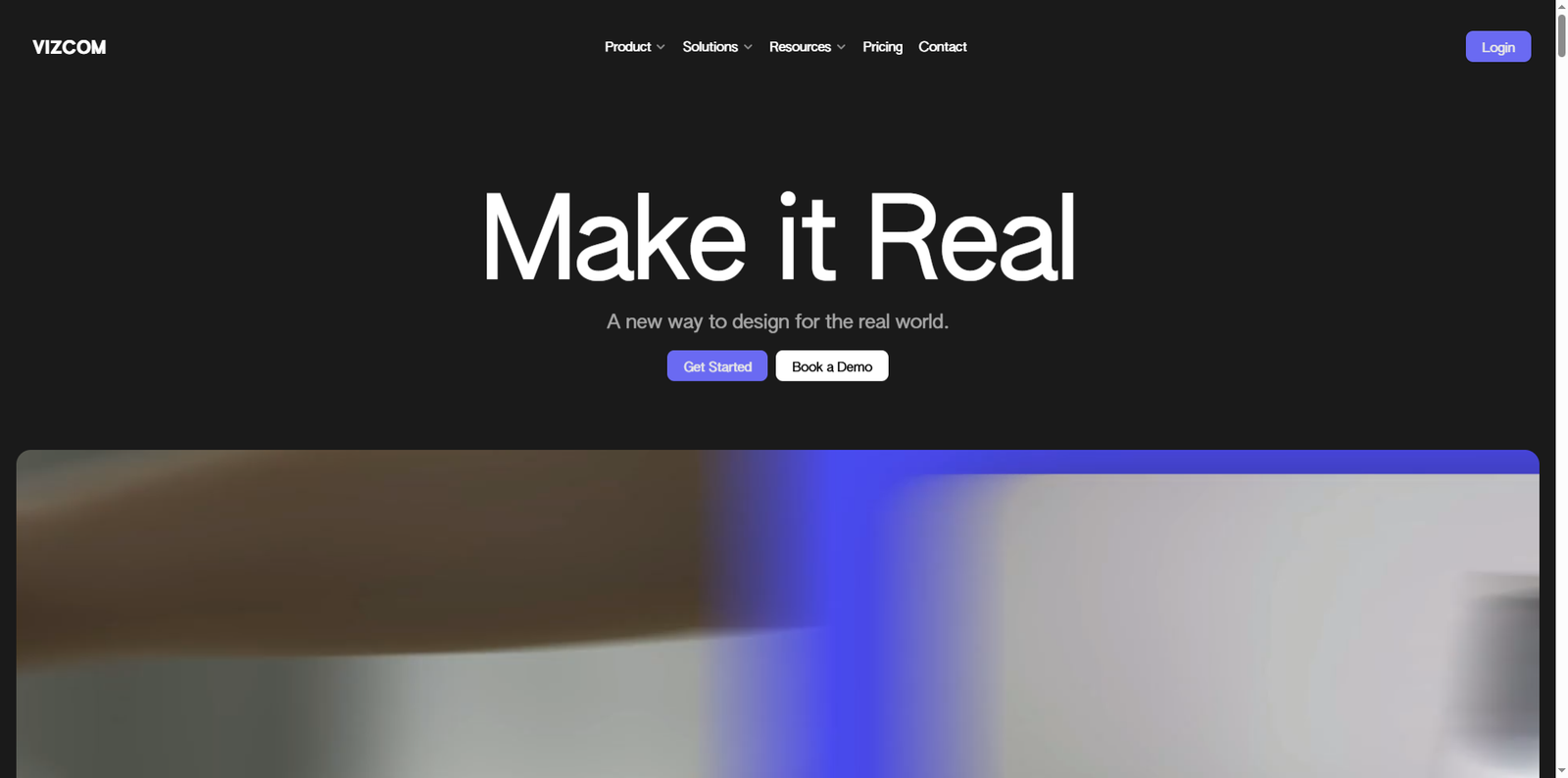
Vizcom.ai is an AI-assisted design platform that allows users to convert 2D sketches into detailed, photorealistic renderings and 3D models. According to the official website, the platform helps designers “make it real” by turning conceptual ideas into lifelike visuals. It integrates artificial intelligence with creative workflows, enabling users to sketch, render, and model seamlessly within one environment.
Unlike traditional design software that requires manual rendering and modeling, Vizcom.ai automates these tasks using advanced AI algorithms. This not only saves time but also enhances precision and consistency across design iterations.
How Vizcom.ai Transforms the Design Process
The design process often involves multiple stages—sketching, rendering, modeling, and presentation. Each stage can be time-consuming, especially when transitioning between different software tools. Vizcom.ai simplifies this pipeline by offering a unified platform where all these steps can occur in real time.
From Sketch to Reality
It all starts with a sketch. Designers can upload or create their sketches directly within Vizcom.ai. The AI then interprets the lines, shapes, and perspectives to generate a realistic rendering. This process helps visualize how the concept might look in real-world conditions without needing to switch between design tools.
Rendering and Visualization
Rendering is where Vizcom.ai truly shines. The platform allows users to apply various styles, lighting conditions, and textures to their sketches. Designers can use default rendering styles or create custom palettes to match their brand aesthetics. The result is a high-quality image that communicates the essence of the design effectively.
3D Modeling and AR Integration
Vizcom.ai also supports 3D model generation. Once a rendering is complete, users can generate a 3D model to view from different angles. This model can be exported for augmented reality (AR) visualization or 3D printing, making it easier to evaluate proportions, ergonomics, and design feasibility.
Core Functionalities and Workflow
Vizcom.ai’s workflow is designed to be intuitive and collaborative, making it suitable for both individual designers and large teams. The process typically follows three main stages:
- Sketch: The foundation of every design begins with a sketch. Users can draw freehand or import existing sketches to start the visualization process.
- Render: The AI engine processes the sketch, applying textures, lighting, and materials to create a realistic rendering.
- Model: The final stage involves generating a 3D model, allowing users to explore their design in three dimensions and prepare it for AR or 3D printing.
This streamlined process eliminates the need for multiple software applications, reducing complexity and improving workflow efficiency.
Team Collaboration
Vizcom.ai is built for design teams. It enables multiple users to collaborate on projects, share feedback, and iterate designs in real time. This collaborative environment ensures alignment across departments, from concept artists to engineers, fostering a cohesive design narrative.
Applications Across Industries
Vizcom.ai’s versatility makes it applicable across various creative and technical fields. Here are some of the key industries leveraging its capabilities:
1. Automotive Design
Automotive designers use Vizcom.ai to visualize vehicle concepts quickly. The ability to render realistic lighting and materials helps teams evaluate surface reflections, proportions, and aesthetics before moving to physical prototypes.
2. Industrial Design
In industrial design, speed and precision are crucial. Vizcom.ai allows designers to iterate rapidly, visualize product ergonomics, and test different material finishes. This accelerates the decision-making process and reduces development costs.
3. Concept Art and Animation
For concept artists, Vizcom.ai acts as a bridge between imagination and execution. Artists can sketch ideas and instantly see how they would appear in a real-world setting. This is particularly useful in animation and game design, where visual storytelling is key.
4. Education and Design Training
Design schools and educators are also adopting Vizcom.ai as a teaching tool. It helps students understand the relationship between sketching, rendering, and modeling, providing a hands-on learning experience that mirrors professional workflows.
How Vizcom.ai Enhances Collaboration
Modern design is rarely a solo endeavor. Teams often consist of designers, engineers, marketers, and clients who must stay aligned throughout the project lifecycle. Vizcom.ai addresses this challenge by offering cloud-based collaboration tools that keep everyone on the same page.
Real-Time Feedback
Team members can comment directly on designs, suggest modifications, and view updates instantly. This reduces communication gaps and ensures that feedback is implemented efficiently.
Version Control
Vizcom.ai maintains a history of design iterations, allowing teams to track changes and revert to previous versions if needed. This feature promotes transparency and accountability within the design process.
Integration with Other Tools
While Vizcom.ai serves as a comprehensive platform, it can complement other design tools. For instance, designers can integrate their work with platforms like Adobe Photoshop or Autodesk Fusion 360 for further refinement or engineering validation.
Alternatives to Vizcom.ai
While Vizcom.ai offers a unique blend of AI-powered design and collaboration, several other tools provide similar functionalities. Here are a few noteworthy alternatives:
- Adobe Substance 3D – Ideal for creating realistic materials and textures for 3D models.
- SketchUp – A popular tool for architectural and product design visualization.
- Blender – An open-source 3D creation suite used for modeling, rendering, and animation.
- Autodesk Alias – Tailored for automotive and industrial design professionals seeking precision modeling.
- CorelDRAW – A versatile vector illustration tool that complements early-stage concept design.
Each of these tools offers unique strengths, and choosing the right one depends on project requirements, team size, and workflow preferences.
Conclusion
Vizcom.ai represents a significant leap forward in the world of digital design. By combining artificial intelligence with intuitive creative tools, it empowers designers to move from concept to completion faster than ever before. Whether you’re sketching a new product, visualizing a vehicle concept, or developing an immersive environment, Vizcom.ai provides the flexibility and power to make your ideas real.
Its seamless workflow, collaborative features, and cross-industry applicability make it a valuable asset for modern design teams. As AI continues to shape the future of creativity, platforms like Vizcom.ai are setting new standards for how ideas are visualized, shared, and brought to life.
To explore its capabilities and see how it can transform your design process, visit the official website at vizcom.ai.