




Outline
- Introduction
- What is RawShorts.com?
- How RawShorts Works
- Benefits of Using RawShorts
- Who Can Use RawShorts?
- Alternatives to RawShorts
- Tips for Creating Effective Animated Videos
- Conclusion
Introduction
In today’s fast-paced digital world, video content dominates online engagement. According to a 2023 report by Wyzowl, 91% of businesses use video as a marketing tool, and 96% of marketers consider it an essential part of their strategy. However, producing professional-quality videos can be time-consuming and expensive. This is where RawShorts.com steps in — an AI-powered platform that transforms plain text into animated videos within minutes. This article explores how RawShorts works, its advantages, and some alternative tools for video creation.
What is RawShorts.com?
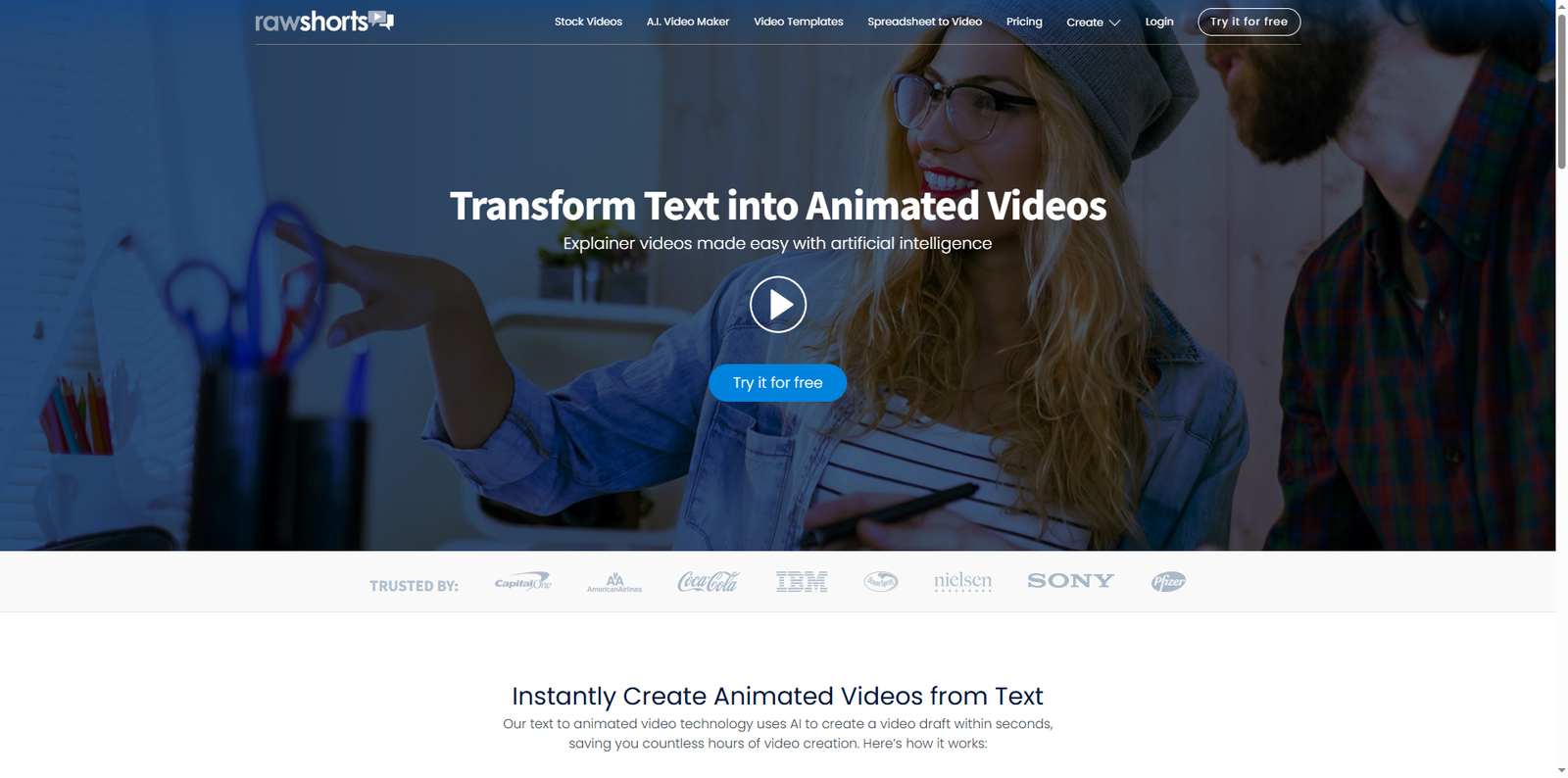
RawShorts is an artificial intelligence-driven video creation platform that enables users to convert text into animated videos. Designed for businesses, educators, and marketers, it helps simplify the process of creating explainer videos, promotional content, and social media animations. The platform uses machine learning algorithms to analyze text, identify key concepts, and automatically generate a storyboard complete with visuals and voice narration.
Founded in Miami, Florida, RawShorts has become a go-to solution for companies seeking to streamline their video production workflows. The platform is browser-based, meaning users can access it from anywhere without installing additional software. Its intuitive drag-and-drop interface ensures that even those without video editing experience can produce professional-looking animations in minutes.
How RawShorts Works
The process of creating a video with RawShorts is simple and efficient. The platform’s AI technology automates much of the heavy lifting, allowing users to focus on creativity and storytelling. Here’s how it works:
1. Upload or Write Your Script
Users begin by uploading a text script or typing directly into the RawShorts editor. The AI scans the text to identify main ideas and keywords, which form the basis of the video’s storyboard.
2. AI Storyboard Generation
Once the script is analyzed, RawShorts automatically assembles a video outline. The system selects relevant media assets — including images, icons, and animations — from its extensive royalty-free library of over one million items. It also generates a voice narration using text-to-speech technology, giving users a complete video draft within seconds.
3. Customize and Edit
After the AI produces the initial draft, users can customize every element using the drag-and-drop editor. This includes adjusting transitions, changing colors, adding logos, or replacing visuals. The editor’s interface is similar to presentation software, making it intuitive for beginners.
4. Export and Share
Once the video is finalized, it can be exported in various formats suitable for social media, websites, or presentations. Users can also share videos directly from the platform to channels like YouTube, Facebook, or LinkedIn.
Benefits of Using RawShorts
RawShorts offers several advantages for businesses and individuals looking to create animated videos efficiently. Below are some of the key benefits:
- Time Efficiency: The AI-driven automation drastically reduces production time, allowing users to create videos in minutes instead of hours.
- Ease of Use: The drag-and-drop interface is user-friendly, requiring no prior video editing experience.
- AI-Powered Creativity: The platform intelligently matches visuals and narration to the script, producing cohesive and engaging videos.
- Cloud-Based Access: Being browser-based, users can access their projects from any device with an internet connection.
- Extensive Media Library: With access to over one million royalty-free assets, users can enhance their videos with professional-quality visuals.
Who Can Use RawShorts?
RawShorts caters to a wide range of users across different industries. Whether you’re a marketer, educator, or entrepreneur, the platform provides tools to communicate ideas visually and effectively.
| Industry | Use Case |
|---|---|
| Marketing & Advertising | Creating promotional videos, product demos, and social media ads. |
| Education | Developing explainer videos and e-learning content for students. |
| Corporate Training | Producing onboarding and internal communication videos. |
| Startups | Pitching ideas to investors through animated presentations. |
| Nonprofits | Raising awareness and sharing impact stories through engaging visuals. |
Alternatives to RawShorts
While RawShorts is a powerful tool, several other platforms offer similar capabilities for creating animated videos. Here are some notable alternatives:
- Animaker – A web-based video creation platform known for its drag-and-drop simplicity and wide range of templates.
- Powtoon – Popular among educators and marketers for creating animated presentations and explainer videos.
- Biteable – Offers an intuitive interface and pre-built scenes for quick video production.
- Vyond – Focuses on professional animations for business communication and training videos.
- Renderforest – Provides a suite of creative tools for video, logo, and website creation.
Tips for Creating Effective Animated Videos
Even with AI assistance, creating an engaging animated video requires thoughtful planning. Here are some best practices to maximize the impact of your videos:
1. Start with a Clear Script
Your script is the foundation of your video. Keep it concise, focused, and aligned with your audience’s needs. Avoid jargon and maintain a conversational tone.
2. Use Visuals Strategically
Choose visuals that complement your message rather than distract from it. RawShorts’ AI suggestions can be a great starting point, but always review and refine them for consistency.
3. Maintain Brand Consistency
Incorporate your brand’s colors, fonts, and logo to ensure your videos align with your overall identity. Consistency builds trust and recognition.
4. Optimize for Platforms
Different platforms have different video requirements. For example, square videos perform better on Instagram, while horizontal formats are ideal for YouTube. Export accordingly.
5. Include a Call to Action
Every video should guide viewers toward a specific action — whether it’s visiting your website, signing up for a newsletter, or purchasing a product.
Conclusion
RawShorts.com represents a significant leap forward in AI-assisted video creation. By transforming text into animated videos within minutes, it empowers businesses, educators, and creators to communicate visually without the need for advanced technical skills. Its intuitive interface, vast media library, and cloud-based accessibility make it a valuable tool in the modern digital marketing landscape.
While alternatives like Animaker, Powtoon, and Vyond offer similar capabilities, RawShorts stands out for its AI-driven automation and simplicity. As video continues to dominate online engagement, leveraging tools like RawShorts can help brands stay ahead of the curve, delivering impactful stories that resonate with audiences worldwide.