










Outline
- Introduction
- What is Creatomate?
- How Creatomate Works
- Benefits of Using Creatomate
- Use Cases Across Industries
- Alternatives to Creatomate
- Getting Started with Creatomate
- Conclusion
Introduction
In today’s fast-paced digital environment, businesses and creators are constantly seeking ways to streamline their content production. Video and image creation, while essential for marketing and engagement, can be time-consuming and resource-intensive. Creatomate.com offers a powerful solution by automating the generation of videos and images through templates and APIs. This platform enables developers, marketers, and agencies to produce dynamic content at scale without compromising quality or creativity.
What is Creatomate?
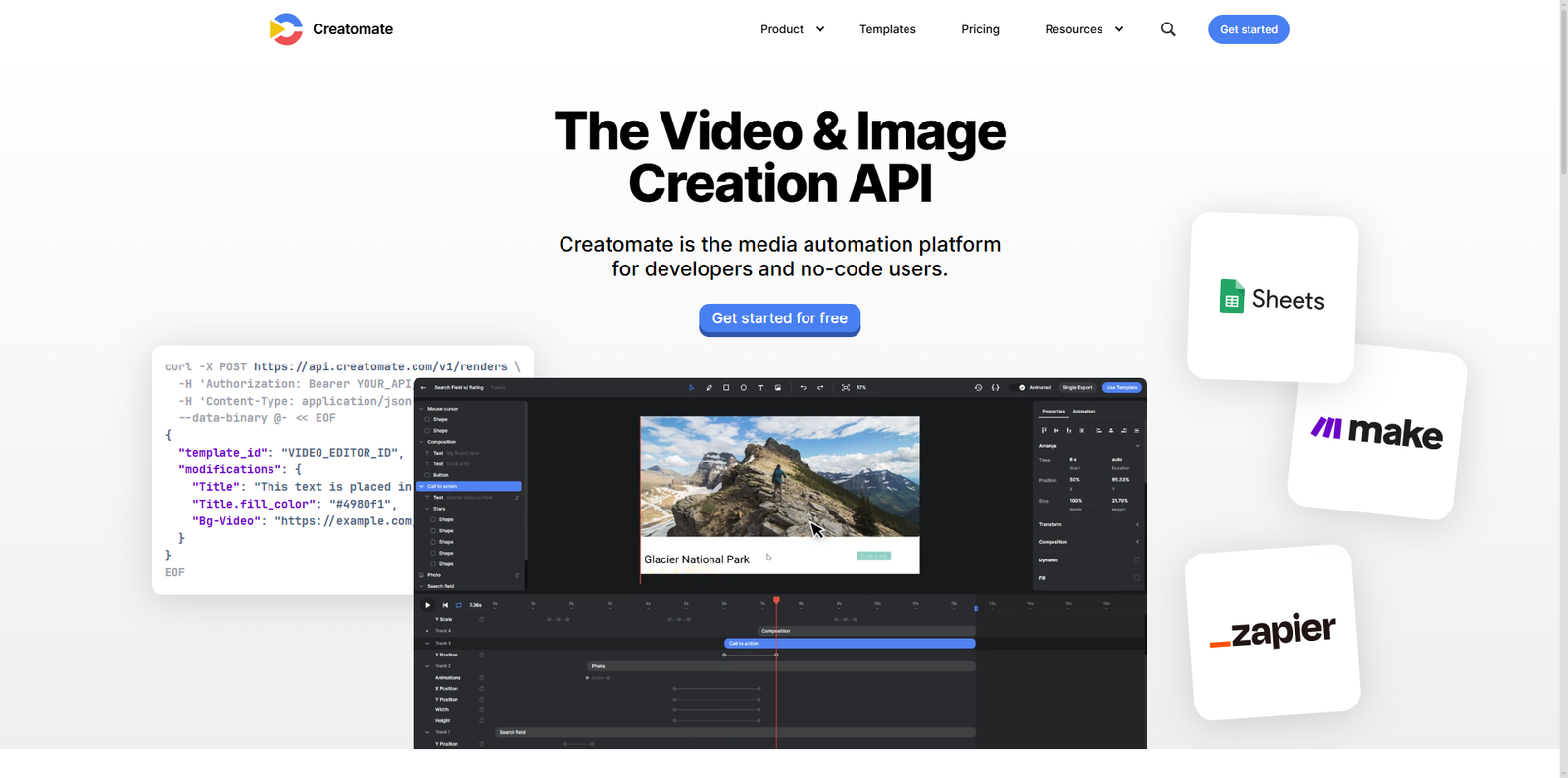
Creatomate is a cloud-based automation platform that allows users to generate videos and images programmatically. It is designed for developers and creative teams who want to integrate automated media creation into their workflows. With Creatomate, users can design templates online and then render them dynamically using data from APIs, databases, or user inputs. This approach eliminates repetitive manual editing and ensures consistent branding across all media outputs.
According to the official Creatomate website, the platform supports both image and video rendering through RESTful API calls. Users can create templates in the online editor, then send data to the API to generate customized outputs. This makes it ideal for applications like personalized marketing videos, social media automation, and data-driven visual content.
How Creatomate Works
1. Template Creation
Users begin by designing a template using Creatomate’s online editor. The editor allows for the inclusion of text, images, videos, and animations. Each element can be customized and parameterized, meaning you can define which parts of the template will change dynamically.
2. API Integration
Once the template is ready, developers can use the REST API to render media files. For example, using a simple POST request, you can send data to replace text, images, or videos in the template. The API then returns a rendered video or image file, ready for use. This process can be automated to generate thousands of variations efficiently.
3. Output and Delivery
After rendering, the output can be downloaded or directly integrated into applications, websites, or social media platforms. This makes Creatomate particularly useful for businesses that need to produce large volumes of personalized or data-driven visuals.
Benefits of Using Creatomate
1. Scalability
Creatomate enables organizations to scale their content production effortlessly. Whether you need a hundred or a hundred thousand videos, the system can handle automated rendering without manual intervention.
2. Consistency and Branding
By using templates, brands can maintain a consistent visual identity across all their content. This is especially valuable for marketing teams that manage multiple campaigns simultaneously.
3. Time and Cost Efficiency
Automating repetitive design tasks significantly reduces production time and costs. Teams can focus on strategy and creativity rather than manual editing.
4. Developer-Friendly API
Creatomate’s REST API is well-documented and easy to integrate into existing systems. Developers can connect it with CRMs, content management systems, or marketing automation tools to trigger media generation automatically.
5. Versatility
The platform supports both static and dynamic content, making it suitable for a wide range of applications—from social media graphics to personalized video messages.
Use Cases Across Industries
Creatomate’s flexibility makes it applicable across various sectors. Below are some examples of how different industries leverage the platform:
| Industry | Use Case |
|---|---|
| Marketing & Advertising | Automated generation of promotional videos and personalized ads for social media campaigns. |
| E-commerce | Dynamic product videos and images generated from product data feeds. |
| Real Estate | Property listing videos automatically created from database information and photos. |
| Education | Personalized learning materials and announcement videos for students. |
| Media & Entertainment | Automated highlight reels and social media teasers for events or shows. |
Alternatives to Creatomate
While Creatomate offers a robust solution for automated media creation, several other tools provide similar capabilities. Here are some noteworthy alternatives:
- Canva – A popular design platform that allows users to create graphics and videos with drag-and-drop simplicity.
- Adobe Express – A simplified version of Adobe’s creative suite for quick content creation and automation.
- Lumen5 – A video creation platform that converts text content into engaging videos using AI.
- Piktochart – A tool for creating infographics and visual content, suitable for data-driven storytelling.
- Animoto – A video maker designed for marketers and small businesses to create professional videos quickly.
Getting Started with Creatomate
1. Sign Up and Explore the Dashboard
To begin, visit Creatomate.com and create an account. Once logged in, you’ll have access to the dashboard where you can manage templates, API keys, and render history.
2. Create Your First Template
Use the online editor to design a template that fits your project. You can add text layers, images, and animations. Each element can be configured to accept dynamic data, allowing for personalized outputs.
3. Integrate the API
After setting up your template, use the REST API to send data and generate media. The API documentation provides detailed examples for integrating with various programming languages. Developers can automate rendering tasks by connecting the API to their data sources or applications.
4. Automate Your Workflow
Once integrated, Creatomate can automatically generate videos or images whenever new data becomes available. For instance, an e-commerce site could automatically create promotional videos for new products as they are added to the catalog.
5. Monitor and Optimize
Creatomate provides an intuitive interface for tracking your render history and managing templates. This helps teams monitor performance and optimize their workflows for better efficiency.
Why Businesses Choose Creatomate
Businesses are increasingly turning to Creatomate for its ability to streamline creative operations. According to industry reports, companies that automate their content production processes can reduce production time by up to 70%. By integrating Creatomate, teams can focus on strategy and storytelling while the platform handles repetitive design tasks. Moreover, its API-first approach makes it ideal for developers building scalable, automated content systems.
Conclusion
Creatomate.com represents a significant step forward in automated media creation. By combining template-based design with powerful API integration, it enables businesses and creators to produce high-quality videos and images at scale. Whether you’re a marketer seeking to personalize campaigns, a developer building dynamic visual applications, or a brand aiming to maintain consistent visuals, Creatomate provides the tools to make it happen efficiently. As digital content continues to dominate online engagement, adopting automation platforms like Creatomate will be essential for staying competitive in the evolving media landscape.