



Outline
- Introduction
- What Is Fotor.com?
- How Fotor Works
- Why Fotor Stands Out Among Online Photo Editors
- Top Use Cases of Fotor
- Alternatives to Fotor
- Tips for Getting the Most Out of Fotor
- Conclusion
Introduction
In today’s visually driven digital world, high-quality images are essential for personal branding, marketing, and social media engagement. Fotor.com has emerged as one of the most accessible and versatile online photo editing platforms, offering users a seamless way to enhance images, create designs, and express creativity without requiring advanced technical skills. Whether you’re a professional designer or a casual user looking to touch up photos, Fotor provides a comprehensive suite of tools that make image editing both easy and efficient.
What Is Fotor.com?
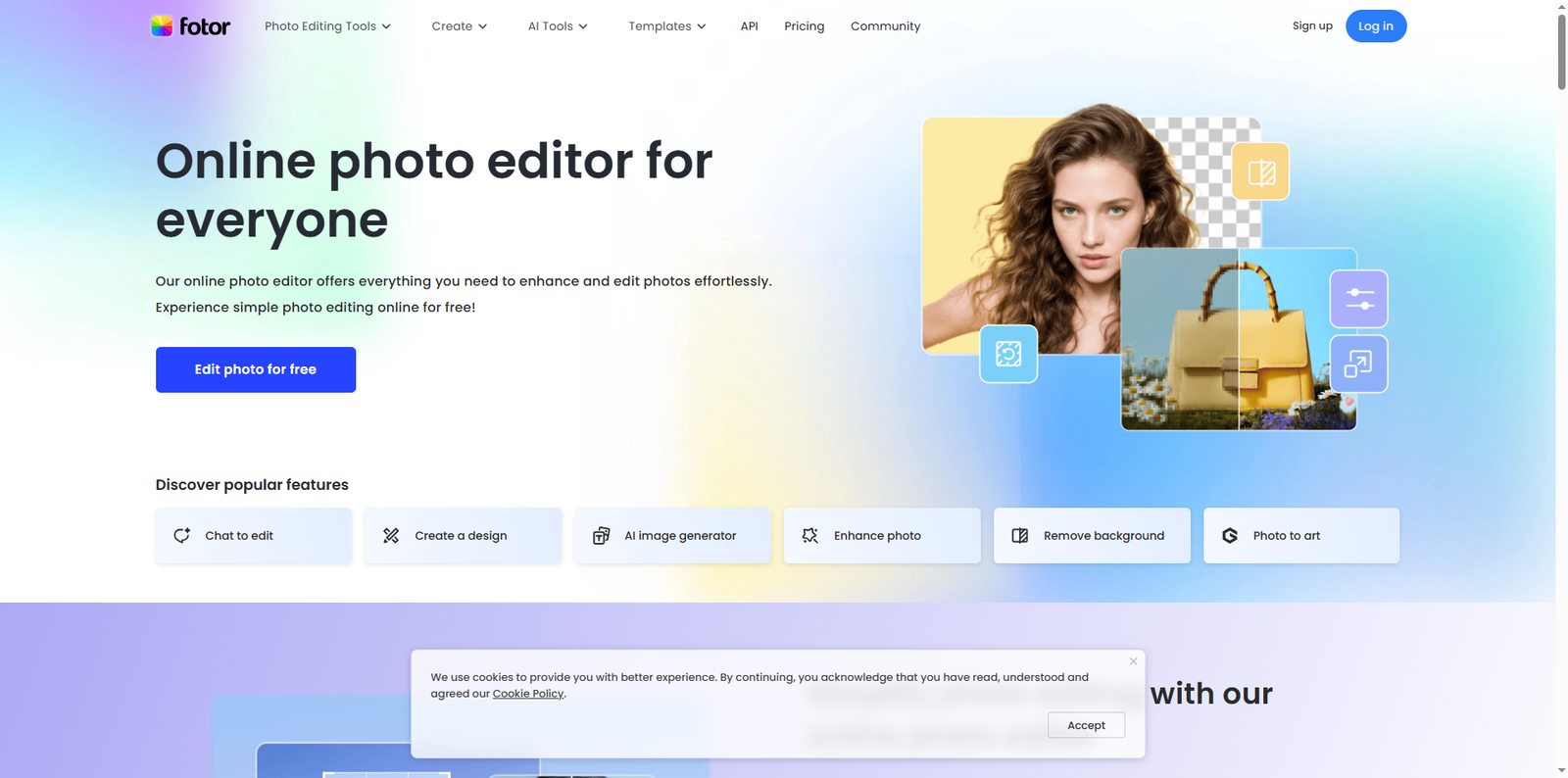
Fotor.com is a browser-based photo editing and graphic design platform launched in 2012 by Chengdu Everimaging Technology Co., Ltd. It has since grown into a global creative hub, serving millions of users across more than 190 countries. The platform allows users to edit photos, create collages, and design marketing materials directly from their web browsers, eliminating the need for heavy software installations.
According to data from Similarweb (as of 2024), Fotor.com receives over 20 million monthly visits, reflecting its popularity among content creators, marketers, and small business owners. The platform’s AI-driven tools, including background removers and portrait enhancers, make it a preferred choice for users seeking quick yet professional results.
How Fotor Works
Fotor operates entirely online, meaning users can access its features from any device with an internet connection. The platform’s interface is designed to be intuitive, allowing users to upload images, apply edits, and export results in just a few clicks. Fotor also provides cloud-based storage, enabling users to save and revisit their projects anytime.
Editing Tools Overview
Fotor’s editing suite includes a variety of tools for image enhancement, retouching, and design creation. Users can adjust brightness, contrast, and saturation, apply filters, and add text or stickers. The AI-powered background remover and one-tap photo enhancer simplify complex editing tasks, making them accessible even to beginners.
Design and Templates
Beyond photo editing, Fotor offers a design section where users can create social media posts, posters, invitations, and more. The platform provides thousands of customizable templates, making it easy to produce professional-quality visuals for platforms like Instagram, Facebook, and LinkedIn.
Why Fotor Stands Out Among Online Photo Editors
While there are many online photo editors available, Fotor distinguishes itself through its balance of simplicity, accessibility, and advanced functionality. It caters to both casual users and professionals who need quick, high-quality results without the steep learning curve associated with traditional design software.
AI Integration
Fotor’s integration of artificial intelligence is one of its strongest assets. The AI tools automatically detect and enhance facial features, remove backgrounds, and even generate design suggestions based on user input. This automation saves time and ensures consistent quality across projects.
Cross-Platform Accessibility
Fotor is available not only as a web-based application but also as a desktop version for Windows and macOS, as well as mobile apps for iOS and Android. This cross-platform flexibility allows users to edit and design on the go, maintaining productivity across devices.
Top Use Cases of Fotor
Fotor’s versatility makes it suitable for a wide range of creative and professional applications. Below are some of the most common use cases:
- Social Media Marketing: Create eye-catching posts, banners, and ads optimized for platforms like Instagram, Facebook, and Twitter.
- Personal Branding: Design professional headshots, resumes, and business cards that reflect your personal style.
- Photography Enhancement: Improve lighting, remove blemishes, and apply artistic filters to photos for portfolios or client projects.
- Event Design: Make invitations, posters, and flyers for weddings, birthdays, or corporate events.
- Educational Content: Teachers and students can design infographics, presentations, and visual aids for academic projects.
Example Workflow
To illustrate how Fotor streamlines the creative process, consider a small business owner who needs to design promotional materials. They can upload product photos, use the AI background remover to isolate items, apply filters to enhance colors, and then use templates to create cohesive marketing visuals—all within minutes.
Alternatives to Fotor
While Fotor offers a robust set of tools, users may also explore other online editors depending on their specific needs. Below is a table comparing some popular alternatives:
| Tool | Website | Main Focus |
|---|---|---|
| Canva | canva.com | Graphic design and social media templates |
| Pixlr | pixlr.com | Photo editing and AI-based retouching |
| BeFunky | befunky.com | Creative photo editing and collage making |
| Photopea | photopea.com | Advanced editing with Photoshop-like interface |
| Adobe Express | adobe.com/express | Quick design creation and content templates |
Tips for Getting the Most Out of Fotor
To maximize your experience on Fotor, consider the following practical tips:
- Leverage AI Tools: Use the AI background remover and one-tap enhancer to save time on repetitive tasks.
- Explore Templates: Start with pre-designed templates to maintain consistency across your branding materials.
- Utilize Cloud Storage: Save your projects in Fotor’s cloud to access them from different devices.
- Experiment with Filters: Try different filter combinations to achieve unique visual styles.
- Stay Updated: Follow Fotor’s official blog and social media channels for new features and design inspiration.
Community and Learning Resources
Fotor also provides a learning hub with tutorials and design tips for users at all levels. The platform’s blog regularly publishes articles on photography, design trends, and creative marketing strategies. This educational approach helps users continuously improve their skills while exploring new creative possibilities.
Conclusion
Fotor.com stands as a leading online photo editing and design platform that bridges the gap between professional-grade tools and user-friendly accessibility. Its AI-powered features, extensive template library, and cross-platform compatibility make it a go-to solution for individuals and businesses alike. Whether you’re enhancing photos, designing marketing materials, or simply exploring your creative side, Fotor provides the flexibility and functionality needed to bring your vision to life. For those seeking alternatives, platforms like Canva, Pixlr, and Photopea also offer valuable tools for digital creativity. Ultimately, Fotor’s blend of innovation and simplicity ensures that anyone can create stunning visuals effortlessly, making it a cornerstone in the modern digital design landscape.