




Outline
- Introduction to Wibbitz.com
- The Evolution of Wibbitz and Its Integration with Vimeo
- How Wibbitz Simplifies Video Creation
- Benefits for Businesses and Content Creators
- Practical Use Cases Across Industries
- Step-by-Step Overview of the Wibbitz Workflow
- Alternatives to Wibbitz
- Conclusion
In an era where video dominates digital communication, Wibbitz.com has emerged as a powerful platform that simplifies professional video creation. Originally launched in 2011, Wibbitz was designed to help publishers and marketers transform text-based content into engaging short videos using artificial intelligence. Over time, it evolved into a full-fledged online video creation suite, enabling teams to produce branded, high-quality videos directly from a web browser without requiring advanced editing skills.
The Evolution of Wibbitz and Its Integration with Vimeo
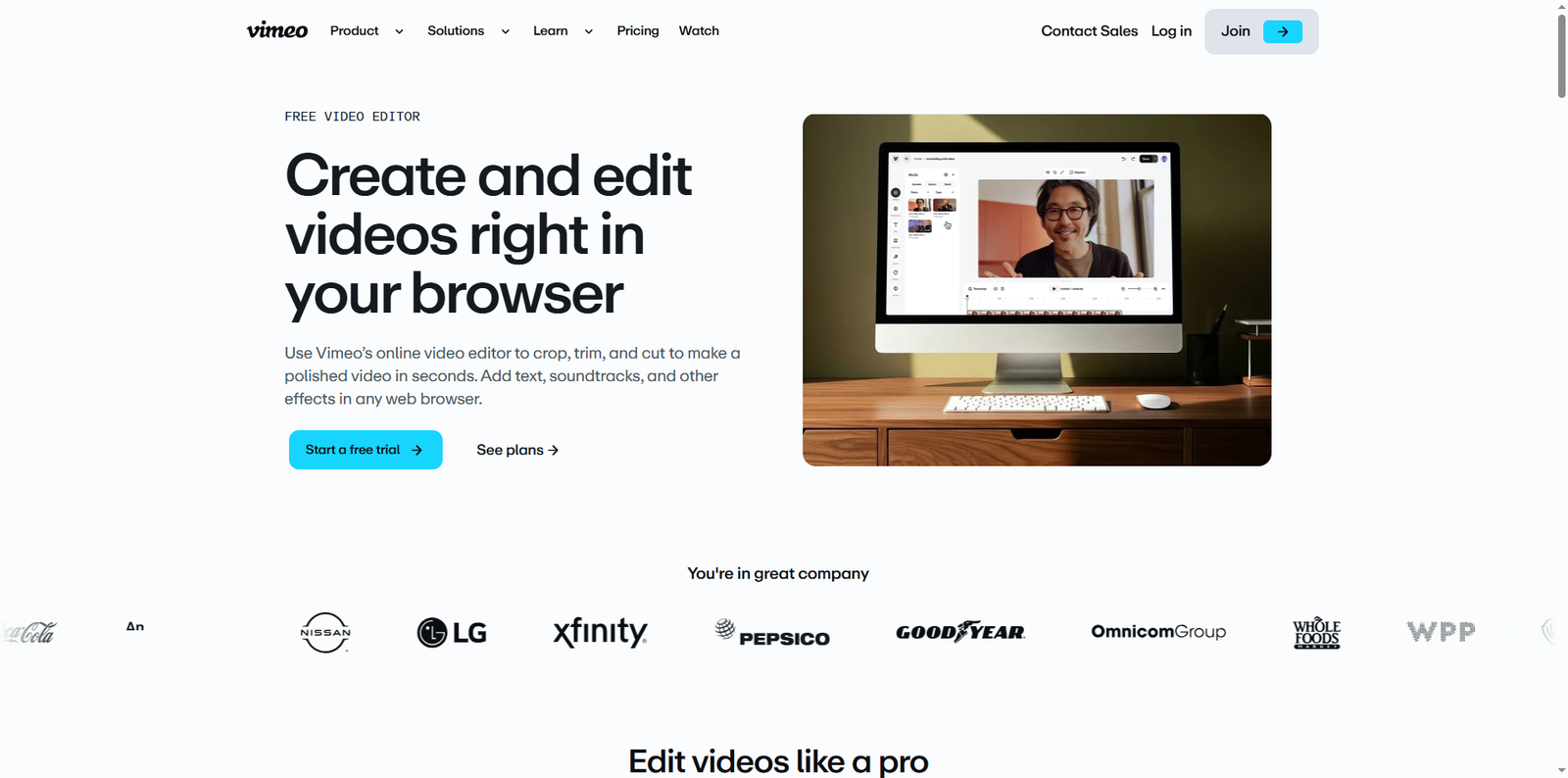
In 2021, Wibbitz was acquired by Vimeo, a leading video hosting and editing platform. This strategic acquisition allowed Vimeo to expand its suite of creative tools, integrating Wibbitz’s AI-driven video creation technology into its ecosystem. As a result, users can now access Wibbitz’s intuitive editing capabilities directly through Vimeo’s online video editor, empowering businesses and creators to crop, trim, and enhance videos seamlessly.
According to Vimeo’s official announcement, this integration was part of a broader effort to make professional video production accessible to everyone, regardless of technical expertise. With Wibbitz’s automation and Vimeo’s robust infrastructure, users can now produce polished videos in seconds, complete with text overlays, soundtracks, and transitions—all from a web browser.
How Wibbitz Simplifies Video Creation
Wibbitz was built around the idea that creating videos should be as easy as writing a blog post. Its web-based interface eliminates the need for heavy software installations or complex timelines. Instead, users can upload footage, add captions, choose templates, and export videos optimized for social media or websites.
Key Functional Advantages
- Browser-Based Editing: Everything happens online, making it accessible from any device.
- AI-Driven Automation: The platform uses AI to suggest video structures, transitions, and text placement.
- Brand Consistency: Teams can apply brand colors, fonts, and logos automatically across projects.
- Collaboration Tools: Multiple users can review, comment, and approve videos in real time.
These features make Wibbitz particularly valuable for marketing teams, newsrooms, and social media managers who need to produce high volumes of content quickly.
Benefits for Businesses and Content Creators
Video content has become essential for engagement, with studies showing that social media posts containing video generate 48% more views than those without. Wibbitz helps organizations capitalize on this trend by reducing production time and cost barriers. Below are some of the main benefits it offers to different user groups.
For Marketing Teams
- Accelerates campaign production by turning written content into videos instantly.
- Ensures brand consistency across multiple platforms.
- Supports vertical and square formats ideal for Instagram, TikTok, and LinkedIn.
For Publishers and News Outlets
- Transforms articles into short video summaries for mobile audiences.
- Increases engagement and dwell time on websites.
- Allows quick adaptation of breaking news into shareable clips.
For Educators and Trainers
- Converts educational materials into visual learning aids.
- Enhances comprehension through visual storytelling.
- Facilitates remote learning with easy-to-edit instructional videos.
Practical Use Cases Across Industries
Wibbitz’s flexibility makes it suitable for a wide range of industries. Below is a table summarizing how different sectors leverage the platform:
| Industry | Use Case | Outcome |
|---|---|---|
| Marketing | Social media ads and brand storytelling | Higher engagement and conversion rates |
| Publishing | Video summaries of news articles | Improved audience retention |
| Education | Online course content and tutorials | Enhanced learning experience |
| Corporate Communications | Internal announcements and training videos | Streamlined communication |
| E-commerce | Product showcase videos | Increased sales and customer trust |
Step-by-Step Overview of the Wibbitz Workflow
Although Wibbitz is now integrated with Vimeo’s editor, its core workflow remains simple and efficient. Here’s a breakdown of how users typically create videos using the platform:
1. Log In and Choose a Template
Users start by logging into their Vimeo account and selecting a Wibbitz-powered template that suits their project’s tone and purpose. Templates are designed for various use cases, such as social media posts, explainers, or promotional videos.
2. Upload Media or Use Stock Assets
Creators can upload their own video clips, images, and audio files, or choose from Vimeo’s extensive stock library. The integration ensures that all assets are royalty-free and optimized for web use.
3. Add Text and Branding
Next, users can insert titles, captions, and subtitles. Brand elements like logos and color schemes can be applied automatically, ensuring consistency across all videos.
4. Enhance with Music and Effects
Wibbitz provides access to a curated selection of background music and sound effects. Users can adjust volume levels, transitions, and timing to match the video’s pacing.
5. Preview and Export
Once the video is complete, users can preview it in real time. The final product can be exported in multiple resolutions and aspect ratios, ready for sharing on social media, websites, or internal platforms.
Alternatives to Wibbitz
While Wibbitz offers a streamlined and professional video creation experience, several other platforms provide similar capabilities. Here are a few noteworthy alternatives:
- Canva – Known for its intuitive drag-and-drop interface, Canva allows users to create videos, presentations, and graphics with ease.
- Animoto – A cloud-based video maker that helps businesses produce marketing and social videos quickly.
- Lumen5 – Uses AI to turn blog posts into engaging videos, ideal for content marketers.
- Adobe Express – Offers professional-grade templates and editing tools for both beginners and advanced users.
- InVideo – Provides a vast library of templates and stock footage for creating promotional and social media videos.
Conclusion
Wibbitz.com has redefined how individuals and organizations approach video creation. By merging automation with creativity, it has empowered teams to produce professional-quality videos in a fraction of the time traditional editing requires. Its integration with Vimeo further enhances accessibility, allowing users to crop, trim, and polish videos directly in their browsers without technical hurdles.
As video continues to dominate digital communication, tools like Wibbitz play an essential role in democratizing content production. Whether you’re a marketer aiming to boost engagement, a publisher seeking to modernize storytelling, or an educator enhancing learning materials, Wibbitz provides a seamless way to bring your ideas to life. For those exploring alternatives, platforms such as Canva, Animoto, and Lumen5 also offer valuable options for creative video production. Ultimately, Wibbitz’s legacy lies in its ability to make professional video creation accessible to everyone, bridging the gap between inspiration and execution in the modern digital landscape.