





Outline
- Introduction to CapCut
- What Makes CapCut Unique?
- Exploring CapCut’s AI-Powered Tools
- How CapCut Simplifies Video Editing for Beginners
- Professional Editing Capabilities for Advanced Users
- CapCut for Social Media Creators
- Alternatives to CapCut
- Tips for Getting the Most Out of CapCut
- Conclusion
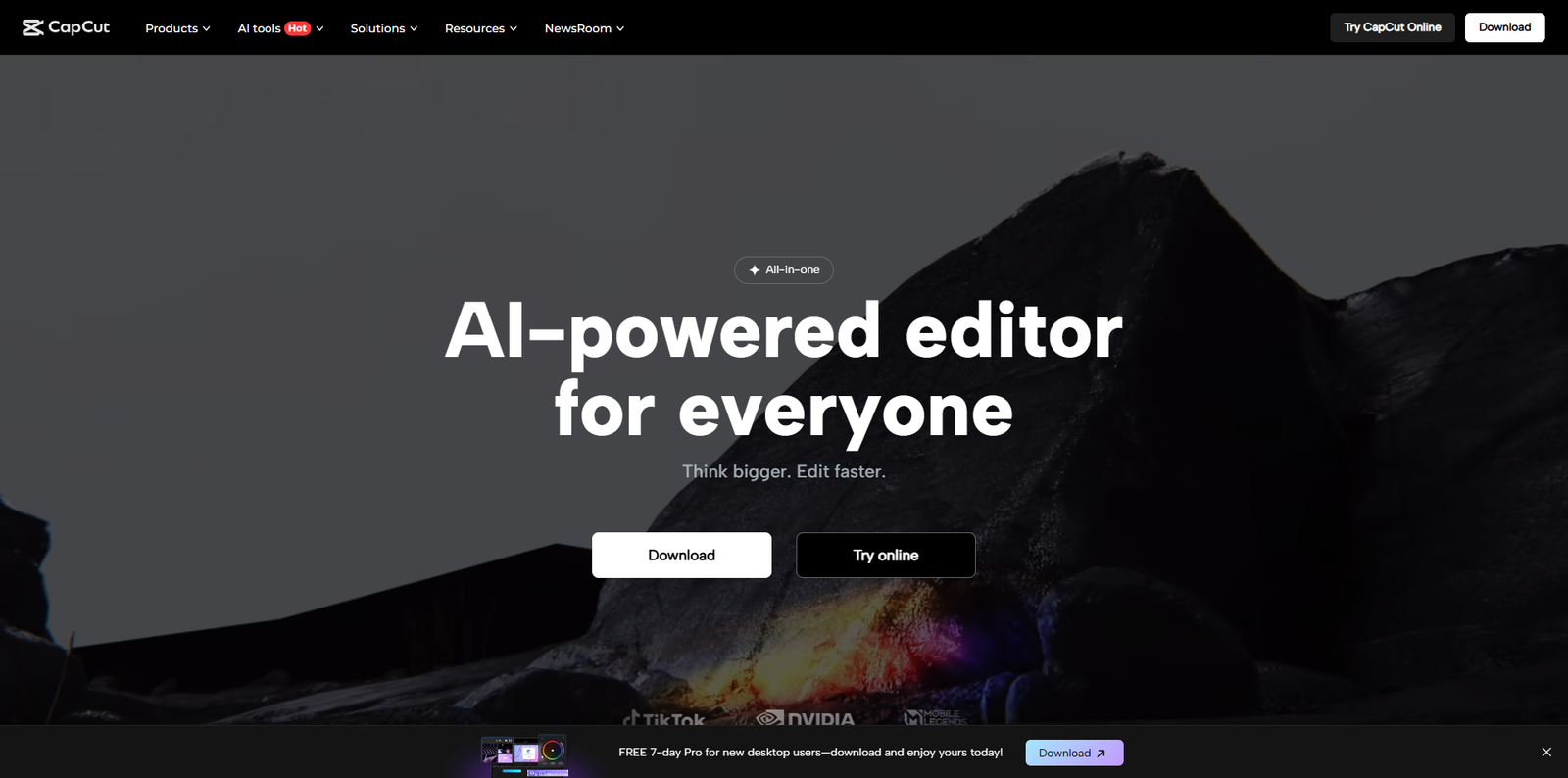
In the fast-evolving world of digital content creation, CapCut has emerged as one of the most popular online video editing platforms. Originally developed by ByteDance, the parent company of TikTok, CapCut has grown into a comprehensive editing suite that caters to both beginners and professionals. As of 2024, CapCut boasts millions of active users worldwide, offering a seamless experience across desktop, mobile, and web platforms.
What Makes CapCut Unique?
CapCut stands out due to its user-friendly interface, AI-driven editing tools, and cloud-based accessibility. Unlike traditional editing software that requires installation and high-end hardware, CapCut operates directly in the browser, allowing users to edit videos from anywhere. This accessibility has made it a go-to choice for influencers, marketers, and educators who need quick and efficient video production solutions.
Cloud-Based Editing
CapCut’s cloud-based system ensures that projects are automatically saved and synced across devices. This feature eliminates the risk of data loss and allows collaboration between team members in real time.
Cross-Platform Integration
Users can start editing on their mobile device and continue on a desktop without losing progress. The integration with TikTok and other social media platforms makes exporting and sharing content effortless.
Exploring CapCut’s AI-Powered Tools
One of the most impressive aspects of CapCut is its suite of AI tools designed to automate and simplify complex editing tasks. The Text-to-Video feature, for instance, allows users to convert written scripts into engaging videos within minutes. This is particularly useful for marketers and educators who need to produce content quickly.
AI Text-to-Video Conversion
CapCut’s AI Text-to-Video tool uses natural language processing to interpret text and generate relevant visuals, transitions, and background music. Users can customize the style, tone, and pacing of the video, making it ideal for explainer videos, tutorials, and social media posts.
AI Background Remover and Auto Captions
Another standout feature is the AI background remover, which allows creators to isolate subjects without using green screens. The auto-caption generator transcribes speech accurately, improving accessibility and engagement for viewers.
AI Image Enhancement
CapCut’s AI image enhancement tool automatically adjusts brightness, contrast, and color balance to improve visual quality. This ensures that even low-quality footage can be transformed into professional-looking content.
How CapCut Simplifies Video Editing for Beginners
CapCut’s intuitive design makes it accessible to users with little to no editing experience. The drag-and-drop interface, pre-made templates, and built-in tutorials help beginners create polished videos quickly.
Templates and Presets
CapCut offers a vast library of templates for various content types, including vlogs, product reviews, and social media ads. These templates come with pre-set transitions, effects, and music tracks, allowing users to produce videos with minimal effort.
Easy Audio Integration
Users can add background music, sound effects, and voiceovers directly from CapCut’s audio library. The platform also supports external audio uploads, giving creators full control over their sound design.
Text and Sticker Tools
CapCut includes a wide range of text animations and sticker options that can be customized to match the video’s theme. This feature is especially popular among social media creators who want to add personality and flair to their content.
Professional Editing Capabilities for Advanced Users
While CapCut is beginner-friendly, it also caters to professionals seeking advanced editing tools. The platform supports multi-layer editing, chroma key effects, and keyframe animations, enabling precise control over every aspect of a project.
Multi-Layer Editing
Users can stack multiple video, audio, and text layers to create complex compositions. This feature is essential for professional video editors who need to synchronize multiple elements seamlessly.
Advanced Transitions and Effects
CapCut provides a wide range of transitions and effects, from cinematic fades to glitch effects. These can be fine-tuned to match the desired aesthetic, giving creators the flexibility to experiment with different visual styles.
Collaboration and Export Options
CapCut allows teams to collaborate on projects by sharing links and editing permissions. Finished videos can be exported in various formats and resolutions, optimized for platforms like YouTube, Instagram, and TikTok.
CapCut for Social Media Creators
Social media creators have found CapCut particularly valuable due to its direct integration with TikTok and other platforms. The ability to edit, caption, and upload videos in one place saves time and ensures consistency across content.
Optimized for Short-Form Content
CapCut’s editing tools are optimized for vertical and square video formats, making it ideal for TikTok, Instagram Reels, and YouTube Shorts. Users can easily resize and crop videos to fit different aspect ratios.
Built-In Trend Templates
CapCut frequently updates its template library with trending effects and transitions. This helps creators stay relevant by producing content that aligns with current social media trends.
Alternatives to CapCut
While CapCut is a powerful tool, several alternatives offer similar capabilities for users seeking different experiences or additional features. Below is a comparison of popular alternatives:
| Tool | Official Website | Best For |
|---|---|---|
| Canva Video Editor | canva.com | Quick social media video creation |
| Adobe Express | adobe.com/express | Professional branding and design integration |
| InVideo | invideo.io | Marketing and promotional video production |
| Clipchamp | clipchamp.com | Windows users and Microsoft ecosystem integration |
| FlexClip | flexclip.com | Simple online editing with templates |
Tips for Getting the Most Out of CapCut
To maximize productivity and creativity when using CapCut, consider the following tips:
- Leverage AI Tools: Use AI features like text-to-video and auto captions to speed up your workflow.
- Organize Your Media: Keep your clips, audio, and images organized in folders for easy access.
- Experiment with Templates: Start with templates to learn editing techniques and then customize them for originality.
- Use Keyboard Shortcuts: Familiarize yourself with shortcuts to streamline editing tasks.
- Stay Updated: CapCut frequently adds new features and effects, so keep your software updated to access the latest tools.
Conclusion
CapCut.com has revolutionized the way creators approach video editing by combining simplicity, power, and accessibility in one platform. Its AI-driven tools, cloud-based workflow, and seamless integration with social media make it an essential resource for both beginners and professionals. Whether you’re producing short-form content for TikTok or crafting detailed tutorials for YouTube, CapCut provides the flexibility and innovation needed to bring your creative vision to life. For those exploring alternatives, platforms like Canva and Adobe Express also offer excellent options. Ultimately, CapCut’s continuous evolution ensures it remains a leading force in the digital content creation landscape.