



Outline
- Introduction
- Understanding Softlite.io
- How ClonewebX Works
- Supported Page Builders
- Benefits of Using ClonewebX
- Alternatives to ClonewebX
- Real User Experiences
- Practical Use Cases
- Conclusion
Introduction
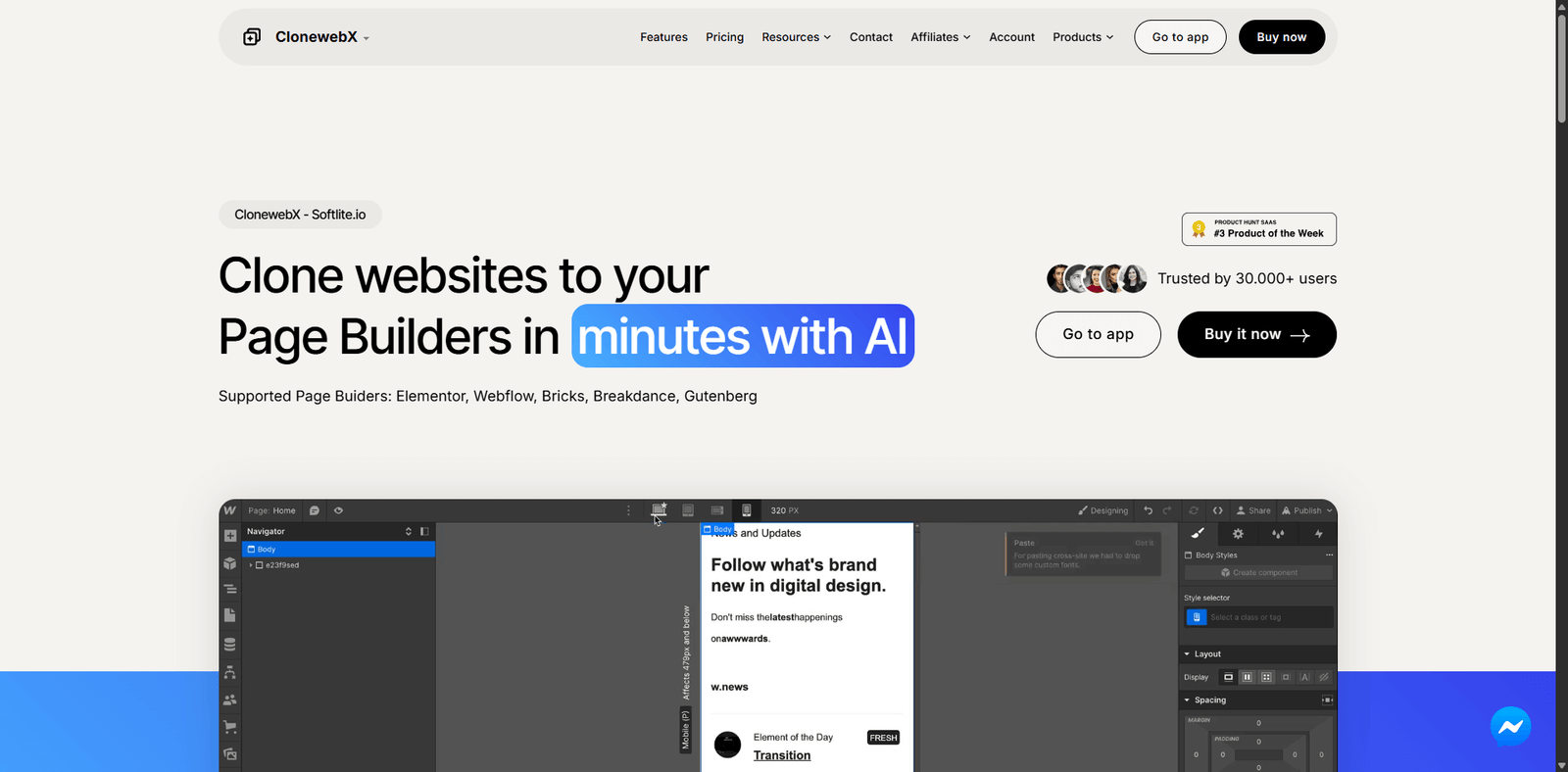
In the fast-paced world of web design, efficiency and innovation are key. Softlite.io has emerged as a game-changer for designers, developers, and digital agencies looking to streamline their workflow. Its flagship tool, ClonewebX, allows users to clone and customize websites across multiple page builders using artificial intelligence. With over 30,000 users already benefiting from its technology, Softlite.io is redefining how professionals approach web creation and migration.
Understanding Softlite.io
Softlite.io is a technology company focused on simplifying web development through automation and AI. Its mission is to empower creators by removing technical barriers and enabling them to focus on design and strategy rather than manual coding. The platform’s standout product, ClonewebX, reflects this philosophy by offering a seamless way to duplicate and adapt websites across different platforms.
According to user data shared by the company, thousands of websites have already been cloned using ClonewebX, demonstrating its reliability and growing adoption in the web design community. The tool’s intuitive interface and compatibility with popular page builders make it accessible to both beginners and professionals.
How ClonewebX Works
ClonewebX operates on a simple yet powerful principle: it extracts the structural and visual components of any website and imports them into your preferred page builder. This process eliminates the need for manual recreation, saving hours of development time. The AI engine identifies HTML and CSS elements, then reconstructs them in a format compatible with the selected builder.
Step-by-Step Process
- Input the Source URL: Users provide the URL of the website they wish to clone.
- AI Extraction: The system analyzes the site’s structure, layout, and styling.
- Builder Selection: Choose a target page builder such as Elementor, Webflow, or Bricks.
- Import and Customize: The cloned layout is imported directly into the builder, ready for customization.
This workflow allows users to replicate entire websites or specific sections, such as headers, footers, or landing pages, without touching a single line of code.
Supported Page Builders
ClonewebX supports a wide range of page builders, making it one of the most versatile tools in the market. The following builders are currently supported:
- Elementor
- Webflow
- Bricks
- Breakdance
- Gutenberg
This cross-platform compatibility is particularly valuable for agencies managing multiple client projects across different ecosystems. For instance, a designer can easily migrate a layout from Webflow to Elementor or from Gutenberg to Bricks without rebuilding the entire site.
Benefits of Using ClonewebX
1. Time Efficiency
Traditional website recreation can take hours or even days. ClonewebX reduces this process to minutes, allowing teams to focus on creative enhancements rather than repetitive tasks.
2. No Coding Required
One of the most appealing aspects of ClonewebX is its no-code approach. Even users with minimal technical knowledge can clone and modify websites effortlessly, democratizing web design for non-developers.
3. Seamless Migration Between Builders
Switching from one page builder to another can be a daunting task. ClonewebX simplifies this by enabling smooth transitions between platforms, ensuring design consistency and saving valuable time.
4. Enhanced Collaboration
Teams can use ClonewebX to share design components, templates, and layouts across projects. This fosters collaboration and ensures brand consistency across multiple digital assets.
5. AI-Powered Accuracy
The AI-driven engine ensures that cloned elements maintain structural integrity and visual fidelity. This reduces the need for manual adjustments after import, further streamlining the workflow.
Alternatives to ClonewebX
While ClonewebX stands out for its AI-driven cloning capabilities, several other tools offer complementary or alternative solutions for web design and migration. Below is a comparison table of notable alternatives:
| Tool Name | Description |
|---|---|
| Duplicator | A popular WordPress plugin that allows users to migrate, copy, or clone websites easily within the WordPress ecosystem. |
| WP All Import | Ideal for importing and exporting website data, including posts, pages, and custom fields, between WordPress installations. |
| Migrate Guru | A cloud-based migration tool designed for large WordPress sites, offering fast and secure transfers without downtime. |
| Webflow | A visual web design platform that allows users to design, build, and launch responsive websites visually without coding. |
| Elementor | A leading WordPress page builder that enables drag-and-drop website creation with advanced design flexibility. |
Real User Experiences
Softlite.io has received positive feedback from professionals across various industries. According to testimonials shared on the official platform, users appreciate the tool’s speed, accuracy, and ease of use.
- David, IT Specialist: “ClonewebX fulfills my requirements when referencing other web sources under tight deadlines. It enables me to analyze and adapt elements across platforms efficiently.”
- Emily, UX/UI Designer: “As a designer, I frequently save and reuse design components. ClonewebX helps me maintain consistency while experimenting with different page builders.”
These experiences highlight how ClonewebX bridges the gap between creativity and functionality, empowering users to deliver high-quality websites faster.
Practical Use Cases
ClonewebX is not limited to a single type of user. Its versatility makes it suitable for various scenarios:
- Agencies: Quickly replicate client websites for redesign or migration projects.
- Freelancers: Build templates and prototypes faster to meet client deadlines.
- Educators: Teach web design principles using real-world examples without coding.
- Businesses: Maintain brand consistency across multiple web properties by reusing design elements.
For example, a digital agency managing multiple clients using different page builders can use ClonewebX to standardize layouts and reduce development time by up to 70%. This efficiency translates into higher productivity and better client satisfaction.
Conclusion
Softlite.io’s ClonewebX represents a significant leap forward in the world of web design and development. By combining artificial intelligence with user-friendly functionality, it eliminates the complexities of manual coding and cross-platform migration. Whether you are a designer, developer, or agency owner, ClonewebX offers a smarter, faster, and more efficient way to create and manage websites.
As digital experiences continue to evolve, tools like ClonewebX will play a crucial role in shaping the future of web development. Its growing user base and positive feedback underscore its value as a reliable solution for modern web professionals. If you are looking to streamline your design workflow and embrace the power of AI-driven automation, Softlite.io’s ClonewebX is a tool worth exploring.