



Outline
- Introduction
- What is Apache Superset?
- Key Advantages of Apache Superset
- Architecture and Core Components
- Integrations and Supported Databases
- Visualization Capabilities
- How Apache Superset Empowers Data Teams
- Alternatives to Apache Superset
- Getting Started with Apache Superset
- Conclusion
Introduction
In today’s data-driven world, organizations rely on powerful visualization tools to transform complex datasets into actionable insights. Apache Superset is one such open-source platform that has rapidly gained popularity among data professionals. Originally developed at Airbnb and later donated to the Apache Software Foundation, Superset offers a modern, scalable, and intuitive approach to data exploration. With its no-code visualization builder and SQL-based interface, it bridges the gap between data analysts, engineers, and business users.
What is Apache Superset?
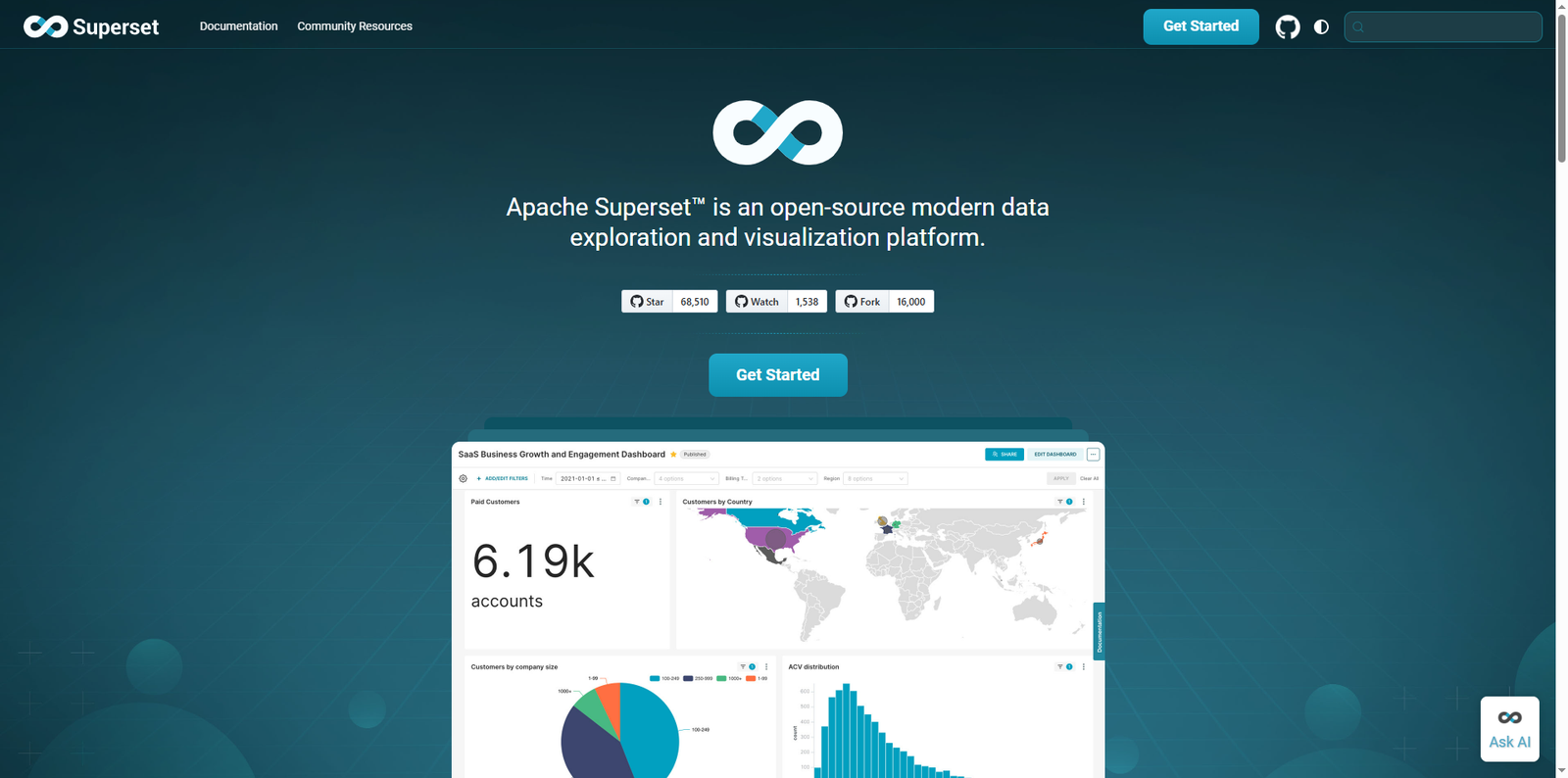
Apache Superset is an open-source data exploration and visualization platform designed to help users analyze and visualize data from various databases. It provides a web-based interface for creating interactive dashboards, charts, and reports without requiring deep technical expertise. Superset’s architecture is built for scalability, allowing it to handle large datasets efficiently while maintaining a lightweight footprint.
According to the Apache Software Foundation, Superset supports over 40 pre-installed visualization types, ranging from simple line charts to complex geospatial maps. It integrates seamlessly with modern SQL-based databases and supports both drag-and-drop and SQL query modes, making it suitable for users of all skill levels.
Key Advantages of Apache Superset
Apache Superset stands out for its flexibility, scalability, and ease of use. Below are some of its key advantages:
- No-Code Visualization Builder: Users can create dashboards and charts through an intuitive drag-and-drop interface, eliminating the need for coding.
- SQL Lab: A powerful SQL IDE that allows advanced users to write custom queries, explore database schemas, and use Jinja templating for dynamic queries.
- Scalable Architecture: Superset leverages existing data infrastructure, avoiding the need for additional ingestion layers.
- Extensible Visualization Framework: Developers can build and integrate custom visualization plugins using the platform’s modular architecture.
- Security and Authentication: Superset supports role-based access control (RBAC), OAuth, and LDAP integration for enterprise-grade security.
Architecture and Core Components
Apache Superset’s architecture is designed for performance and modularity. It uses a combination of Python, Flask, and React, ensuring a responsive and modern user experience. The platform follows a microservice-friendly design that allows it to scale horizontally across multiple servers.
Core Components
- Frontend: Built with React and Bootstrap, providing a dynamic and interactive user interface.
- Backend: Developed in Python using the Flask framework, handling API requests and database interactions.
- Metadata Database: Stores information about dashboards, charts, and user configurations. Common choices include PostgreSQL or MySQL.
- Cache Layer: Uses Redis or Memcached to improve performance by caching query results and metadata.
- Message Queue: Optional integration with Celery for asynchronous query execution and background tasks.
Integrations and Supported Databases
One of Superset’s strengths lies in its ability to integrate with a wide range of SQL-based databases. It connects to databases through SQLAlchemy, a popular Python ORM, allowing compatibility with numerous backends.
Commonly Supported Databases
- PostgreSQL
- MySQL
- Snowflake
- Amazon Redshift
- Google BigQuery
- Apache Druid
- ClickHouse
- Presto and Trino
Superset also supports modern cloud-native databases and engines capable of handling petabyte-scale data, making it suitable for enterprise-level analytics.
Visualization Capabilities
Superset offers a rich library of over 40 visualization types, covering everything from basic charts to advanced geospatial visualizations. Users can customize dashboards using CSS templates and apply filters for interactive data exploration.
Popular Visualization Types
- Line and Bar Charts
- Pie and Donut Charts
- Heatmaps and Treemaps
- Geospatial Maps
- Sunburst and Sankey Diagrams
- Time-Series Forecasting Charts
Each visualization is highly configurable, allowing users to adjust metrics, dimensions, and filters dynamically. Superset’s cross-filtering and drill-down capabilities enable deeper analysis without switching contexts.
How Apache Superset Empowers Data Teams
Apache Superset democratizes data analytics by enabling self-service exploration. Business analysts can create dashboards without relying on engineering teams, while data engineers can focus on optimizing data pipelines. Superset’s semantic layer allows teams to define reusable metrics and virtual datasets, ensuring consistency across reports.
Organizations such as Airbnb, Dropbox, and Lyft have adopted Superset to power their internal analytics platforms. Its ability to integrate with authentication systems and support multi-tenancy makes it a strong choice for large enterprises seeking open-source flexibility.
Alternatives to Apache Superset
While Apache Superset is a powerful open-source solution, several other tools offer similar capabilities. Below is a comparison of popular alternatives that organizations may consider:
| Tool Name | Description |
|---|---|
| Metabase | An open-source BI platform that allows users to create dashboards and visualizations through a simple interface, ideal for small to medium teams. |
| Redash | Designed for data analysts, Redash enables users to query data sources using SQL and visualize results quickly. |
| Looker | A Google Cloud-based analytics platform that provides a semantic modeling layer for consistent data definitions across reports. |
| Power BI | Microsoft’s business analytics tool that integrates with various data sources and provides advanced visualization and AI-driven insights. |
| Tableau | A leading data visualization platform known for its drag-and-drop interface and robust dashboarding capabilities. |
Getting Started with Apache Superset
Setting up Apache Superset is straightforward, especially for users familiar with Python and Docker. The official documentation provides detailed installation guides for different environments. Below is a simplified overview of the process:
Installation Steps
- Step 1: Install dependencies such as Python 3.8+, Node.js, and a supported database (e.g., PostgreSQL).
- Step 2: Clone the Superset repository and set up a virtual environment.
- Step 3: Run the initialization commands to create the metadata database and admin user.
- Step 4: Start the Superset web server and access the dashboard through your browser.
For production environments, Superset can be deployed using Docker Compose or Kubernetes, ensuring scalability and reliability. It also supports integration with CI/CD pipelines for automated updates and configuration management.
Conclusion
Apache Superset has emerged as a leading open-source data visualization and exploration platform, empowering organizations to make data-driven decisions without heavy reliance on proprietary software. Its modern architecture, extensive visualization options, and seamless database integrations make it a versatile choice for teams of all sizes. Whether you are a data analyst exploring trends or a developer building custom dashboards, Superset provides the flexibility and performance needed to turn raw data into meaningful insights. As the open-source community continues to enhance its capabilities, Apache Superset remains a cornerstone of modern analytics ecosystems.